Mobile apps

Apps peoplekeep opening.

iOS and Android apps designed around real users, built on a solid backend and released to the App Store and Google Play, then kept up to date.

Platforms
iOS · Android
Built with
Flutter · Swift · Kotlin
Release
App Store · Google Play

What it is

We design and build mobile apps for iOS and Android, from the first clickable prototype to store release and the updates that follow. One team covers UX, the app itself and the backend it relies on.

  1. 01

    Design

    Flows and screens tested on real phones before any code is written.

  2. 02

    Build

    Cross-platform or native apps with the APIs and admin they need.

  3. 03

    Release

    Store submission, analytics and ongoing updates after launch.

Testing a mobile app on an iPhone at a desk
Testing a build on device

Apps we have shipped

A few of the mobile apps our team has designed and built, from a community radio station to a made-to-measure tailoring service.

Mobile App Development 4Mobile App Development 1

01Community radio · Live streaming

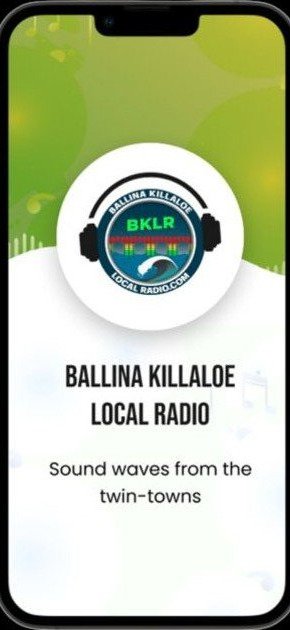
Ballina Killaloe Local Radio

A live radio app for BKLR, the community station serving the twin towns of Ballina and Killaloe. Listeners tune in to the live stream in one tap and see which shows are coming up next.

  • Live stream player with play and pause
  • Upcoming shows schedule
  • Station branding throughout the app

  • iOS
  • Android
  • Live audio
Mobile App Development 2

02Forms · Field workflow

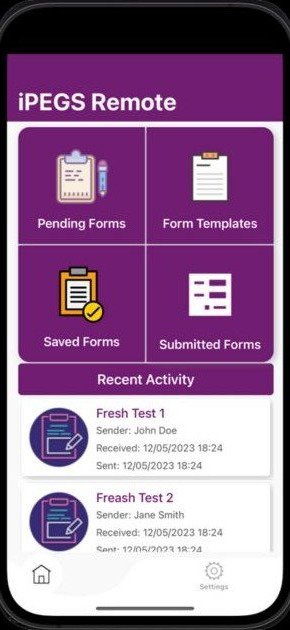
iPEGS Remote

A forms app for teams working away from the office. Users start new forms from templates, save drafts, submit completed forms and keep track of everything in one place.

  • Form templates to start new submissions
  • Pending, saved and submitted forms
  • Recent activity feed with timestamps
  • iOS
  • Android
  • Forms & workflow
Mobile App Development 7Mobile App Development 8Mobile App Development 3

03Fashion · Body scanning

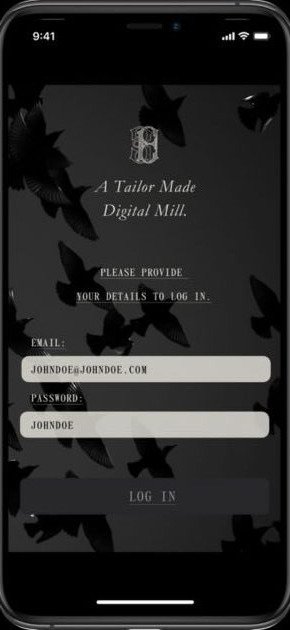
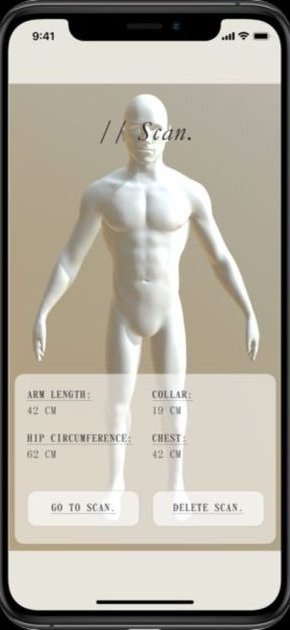
Tailor Made Digital Mill

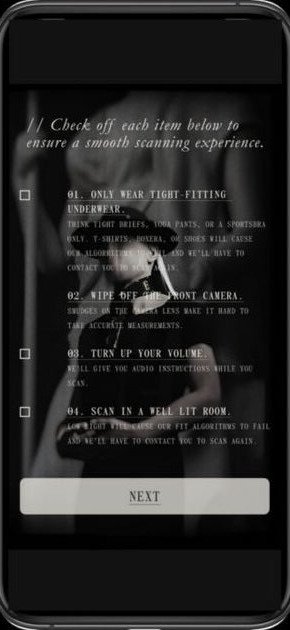
A made-to-measure tailoring app. Customers sign in, follow a short checklist to prepare for a body scan, then see their measurements, such as collar, chest, arm length and hip, ready for a tailored fit.

  • Guided pre-scan checklist
  • 3D body scan with key measurements
  • Rescan or delete a scan at any time
  • iOS
  • 3D scanning
  • Measurements

What's included

Choose the parts you need. Every engagement is scoped to your goals and agreed in writing before work starts.

  1. 01

    Mobile UX & UI design

    Flows and screens designed for thumbs, small screens and real-world use, tested before build.

  2. 02

    iOS & Android apps

    Cross-platform apps with one shared codebase, or native Swift and Kotlin when the product needs it.

  3. 03

    Backend & APIs

    Accounts, data, admin panels and the APIs your app talks to, built and hosted securely.

  4. 04

    Push & analytics

    Notifications, deep links and in-app analytics so you know how people use the app.

  5. 05

    Store release

    App Store and Google Play listings, review submissions and release management handled for you.

  6. 06

    Updates & support

    OS updates, bug fixes and new features after launch, so the app keeps working as phones change.

How it works

Stage 01

Users, core features and the first release agreed in writing, with a clear estimate.

  • Specification
Stage 02

User flows and a clickable prototype you can try on your own phone.

  • Prototype
Stage 03

Developed in short sprints with test builds on TestFlight and Google Play testing.

  • Test builds
Stage 04

Store submission, launch and a plan for the updates that follow.

  • Live app

Tools we use

We choose the stack that fits your product, your team and your budget, and explain why.

  • FlutterCross-platform
  • React NativeCross-platform
  • SwiftiOS
  • KotlinAndroid
  • FirebaseBackend
  • App StoreRelease
  • Google PlayRelease
  • FigmaDesign

Questions

Common
questions.

01Should we build cross-platform or native?

For most products a cross-platform app (Flutter or React Native) gives iOS and Android from one codebase at a lower cost. We recommend native Swift or Kotlin when an app relies heavily on device hardware or platform-specific features.

02Do you publish the app to the stores?

Yes. We prepare the listings, screenshots and privacy details and handle App Store and Google Play submissions, normally under your own developer accounts so you own them.

03Can you take over or update an existing app?

Yes. We start with a review of the codebase, build setup and store accounts, then agree whether to improve, update or rebuild.

04Who owns the code?

Ownership terms are set out in our agreement before work begins. You receive the source code, design files and store accounts.

05How do you estimate cost?

After a short call about your users and must-have features we send a written estimate with a clear breakdown, so you can see what the first release includes.

Next step

Ready to talk about your app?

Tell us what you are planning. A few lines is enough, and we will come back to arrange a short call.